
Assess spreadsheet problem
We review the current workbook, inputs, outputs, recurring steps, pain points, exceptions and the result you need.
How consultation works
You asked for the consultation process to be visual and easy to understand. The six-stage process below keeps the early commitment deliberately small: first understand the problem, then prototype, then let you test it before full development begins.
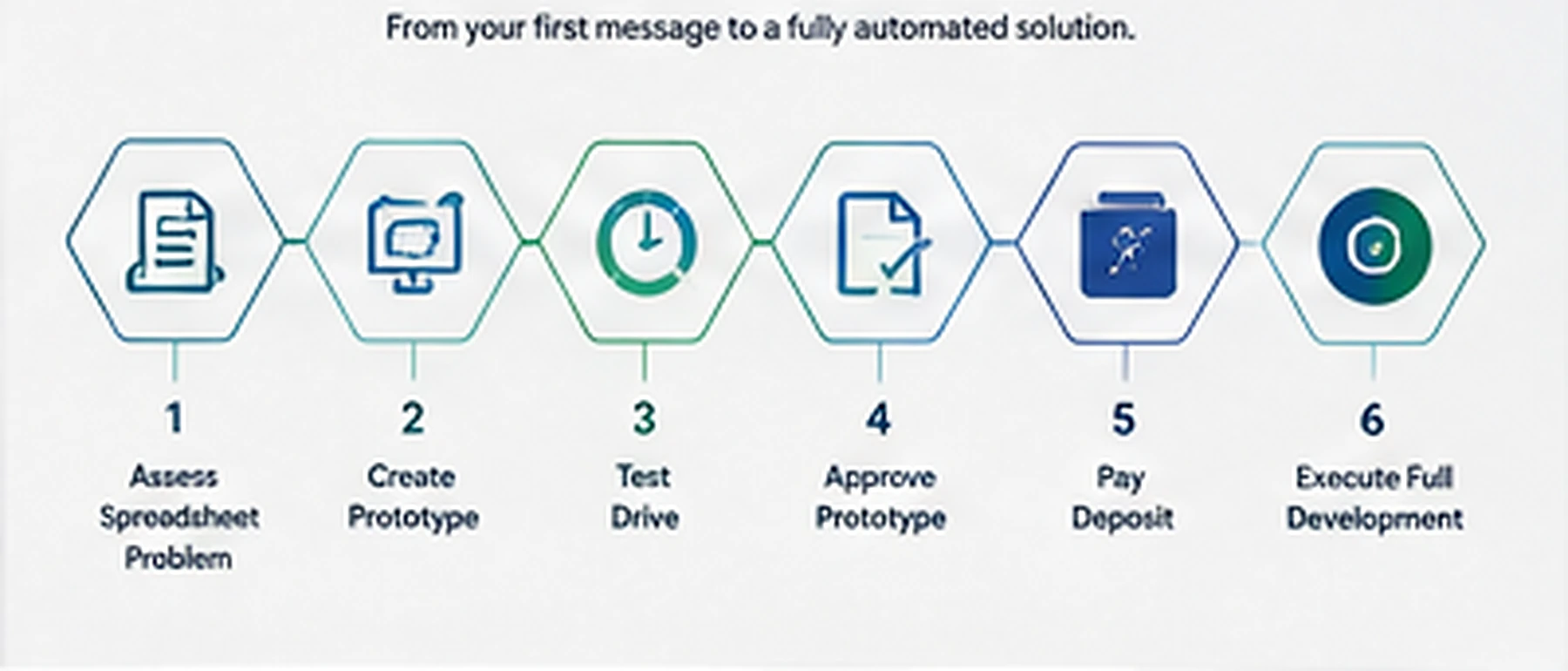
We review the current workbook, inputs, outputs, recurring steps, pain points, exceptions and the result you need.
We build a focused prototype that demonstrates the proposed automation approach without developing every feature.
You use the prototype with realistic data and confirm whether it fits the way the process actually works.
We refine agreed points and define the scope for the full Excel automation solution.
Once you approve the direction and scope, the agreed deposit confirms the development project.
We complete the solution, test agreed scenarios, support user testing and provide handover information.
Why prototype first?
Spreadsheet automation projects can go wrong when requirements are described only in documents or calls. A prototype makes the important parts tangible: where data goes in, what happens automatically, what the user still controls and what comes out.

Frequently asked questions
No. Describe the spreadsheet process and the result you want. The consultation determines whether formulas, VBA, Power Query, Power Pivot, Office Scripts, Power Automate or a simpler redesign is the best fit.
Yes. Many projects start with an existing workbook containing important formulas, formats and business logic. We can improve or automate around it rather than replacing it unnecessarily.
A sample workbook or sanitised copy is useful, along with a short explanation of what you do today, how often you do it, where the data comes from and what output you need.
Part of good consultation is recognising limits. If the process has genuinely outgrown Excel, we will say so rather than force a spreadsheet beyond sensible limits. The aim is to recommend a proportionate solution, not to sell unnecessary development.